Guide
How to Choose the Right FiveM HUD Script for Your Server
ThaC
Installing a HUD in FiveM might look simple — drop it in your resources folder, add it to server.cfg, done. But if you've spent any time managing a server, you know the reality: wrong framework support, broken events after an update, or a script that tanks every player's FPS before they even leave the spawn point.
Choosing the right HUD script isn't just an aesthetic decision. It directly affects server performance, player retention, and how much time you spend troubleshooting instead of actually building your server. This guide helps you evaluate any FiveM HUD script before committing to it.
What Does a FiveM HUD Script Actually Do?
A HUD script replaces GTA V's default interface with a fully custom display. At its core it reads player data from your framework — health, armor, hunger, thirst, money — and renders it as a clean overlay in the player's browser through FiveM's NUI system.
Depending on the script, it can also show voice and radio activity, vehicle speed and fuel, wanted level, job status, stress, oxygen levels, and more. The best ones communicate all of this instantly without pulling players out of immersion. The worst ones are a wall of overlapping bars that remind you you're playing a game, not living in Los Santos.
What separates a good HUD from a great one isn't the feature list — it's execution. How fast does it sync with your framework? How much does it cost your players in FPS? Can you adjust it without digging through minified JavaScript?
5 Things to Check Before You Buy
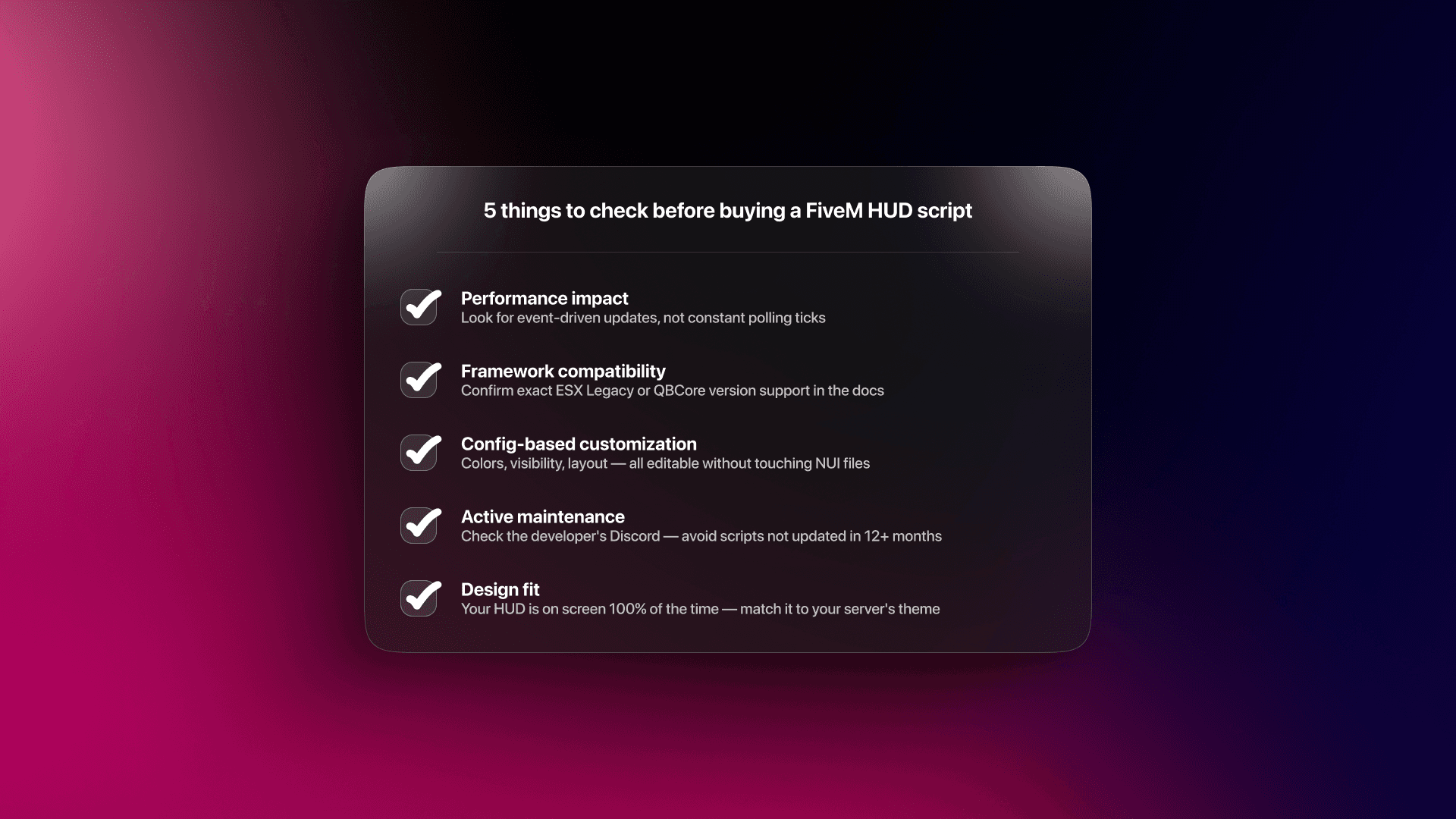
Performance impact
This is the single most overlooked factor when choosing a HUD. Every client runs the HUD script continuously — it's always rendering, always reading data. A poorly written HUD uses a tight Citizen.CreateThread loop with a 0ms wait, which means it executes thousands of times per second. That alone can cost 5 to 15 FPS per client.
What you want instead is a script that uses event-driven updates. Player health changes? An event fires and the HUD updates. Nothing changed? Nothing runs. Check if the script's documentation mentions tick intervals or resource monitor usage. If it doesn't mention performance at all, that's already a yellow flag.
A well-optimized HUD should sit at 0.00 to 0.04ms in your resmon under normal conditions.
Framework compatibility
"Works with ESX and QBCore" written on a store listing means very little on its own. ESX Legacy and older ESX versions expose player data through completely different structures. QBCore uses its own event and export system. A HUD built for ESX 1.2 will not reliably work on ESX Legacy without modifications — and those modifications are your problem, not the developer's, unless they explicitly support your version.
Before buying, find the documentation and look for version-specific setup instructions. If there's one config file that says "change ESX to QB here," that's a lazy port, not real compatibility.
Config-based customization
You should never need to open a NUI file to change a bar color or hide the hunger indicator. A well-built HUD exposes everything through a single config file — colors, bar visibility, position offsets, update intervals — with clear inline comments explaining each option.
This matters for long-term maintenance too. When you update the script, a clean config file means you can just drop in the new version and copy over your settings. A script that requires you to edit HTML and CSS directly means every update is a manual merge job.
Active maintenance
FiveM's game build updates regularly, and the artifacts that power the client update with it. A HUD that worked perfectly six months ago might have broken NUI callbacks or missing event handlers today. Check the developer's Discord or changelog before purchasing — look for updates within the last two to three months at minimum.
Also look at how the developer responds to bug reports. A developer who acknowledges issues and ships fixes quickly is worth paying more for than a cheaper script with an abandoned support thread.
Design fit
Your HUD is visible to every player, every second they're logged in. It needs to match the visual identity of your server. A sleek, dark, cyberpunk-style HUD looks completely out of place on a 1900s Western RP server. A minimal flat design might feel too sterile for a high-action cops-and-robbers server that wants energy and intensity.
Think about your color palette, your existing UI scripts, and the atmosphere you're building. The best HUD is the one players stop noticing — because it feels like it belongs.
ESX vs QBCore: How Framework Changes the HUD
Framework compatibility goes deeper than most store listings suggest. Here's what's actually different under the hood.
ESX stores player metadata — hunger, thirst, stress — through the esx_status resource, which uses its own export system. QBCore handles the same data natively through its player object. A HUD built for one framework reads data from a completely different place than a HUD built for the other.
This is why "supports both frameworks" can mean anything from a proper dual-config implementation to simply not crashing on startup with the wrong framework loaded.
Before installing any HUD on a live server:
Confirm the script uses exports rather than direct event listeners where possible — exports are far more stable across framework updates. Check whether the developer provides separate documentation or config sections for each framework. And always test on a dev server first. A fifteen-minute test on a local build can save you hours of debugging on production.
If you're on ESX Legacy specifically, also verify the script doesn't rely on deprecated ESX functions that were removed in later versions. The documentation should call this out explicitly.
What Your Server Type Should Drive Your HUD Choice
Different server types have genuinely different HUD needs, and buying a one-size-fits-all script often means paying for features you'll disable or missing ones you actually need.
Serious RP servers — the priority is immersion. You want minimal, unobtrusive design. Fewer bars visible at once, soft colors, no flashing indicators. Stress and oxygen meters are a good fit here. Vehicle stats should only appear when the player is actually in a vehicle.
Economy and jobs servers — players need quick access to their money, job status, and inventory weight at a glance. A more information-dense HUD works here. Clear bank and cash separation, job badge visibility, and duty status are high priority.
Action and PvP servers — health and armor readability is everything. You want large, high-contrast bars that are readable in the middle of a firefight. Hunger and thirst can be hidden or minimized. Speed and wanted level displays add to the experience.
Casual and public servers — keep it simple. New players shouldn't need to learn what every icon means. A clean HUD with the basics — health, hunger, money — is better than a feature-packed one that overwhelms.
Performance Benchmarks: What the Numbers Should Look Like
When you install a HUD and open your resource monitor (type resmon in the F8 console), you'll see two numbers: server ms and client ms. For a HUD script, only the client number matters.
Here's a rough benchmark to use as reference:
A well-optimized HUD should read 0.00 to 0.03ms at idle, and no more than 0.05ms during active updates like entering a vehicle or taking damage. If you see consistent readings above 0.10ms, the script is doing too much work — either looping too fast or rendering unnecessarily.
These numbers matter more on populated servers. A HUD that costs 0.08ms per client across 64 players is 5ms of combined overhead. That adds up on shared hosting.
How Installation Actually Works
Most commercial FiveM HUD scripts follow the same basic installation pattern, which is worth understanding before you buy — it helps you spot scripts that cut corners.
You download the resource, place it in your server's resources folder, and add ensure hudscriptname to your server.cfg. Then you open the config file, set your framework (ESX or QBCore), adjust any options you want, and restart the server.
What separates a clean installation from a messy one is the config step. A good script has one config file with everything you need. A bad one has settings scattered across multiple files, requires SQL imports for basic functionality, or makes you edit the main Lua file directly.
Also check whether the script requires any dependencies beyond your framework. Some HUDs rely on specific inventory scripts, status resources, or third-party libraries. Every dependency is another thing that can break on update.
What a Premium HUD Should Include
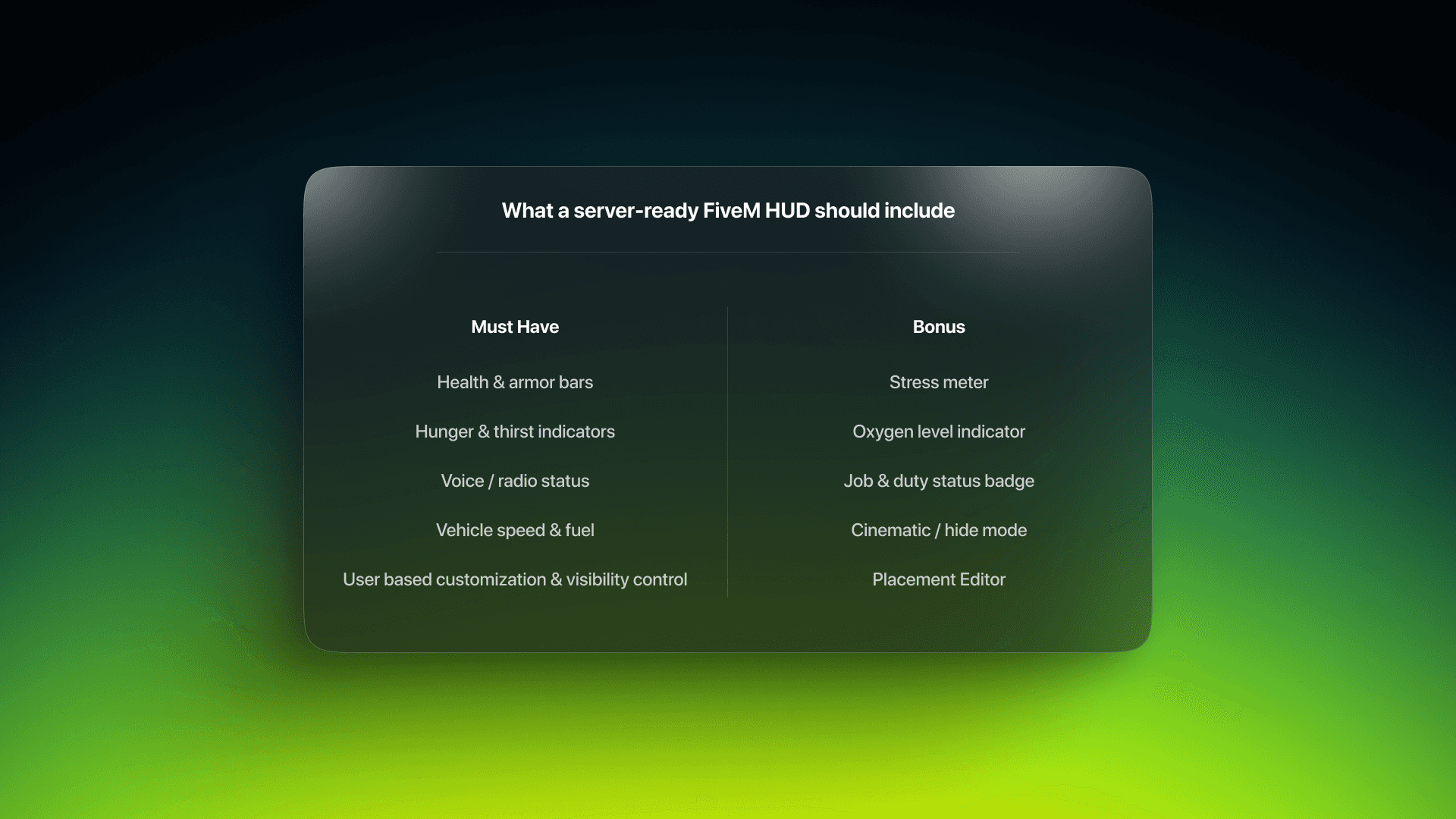
At minimum, a production-ready FiveM HUD should cover the basics — health, armor, hunger, thirst, money display, voice indicator, and vehicle stats that appear contextually when in a vehicle. Config-based control over colors and visibility is non-negotiable.
Beyond that, stress meters, oxygen indicators, and job status badges are solid additions for servers that use them. Cinematic or hide modes — where the HUD fades out during cutscenes or screenshot moments — are a small detail that serious RP players genuinely appreciate.
If you're looking for something that checks all of these boxes and event add more with active maintenance and clean ESX, QBCore, Qbox , vRP framework support, Supreme HUD AIO is built specifically with server owners in mind — minimal resource usage, full config control, and a design that stays out of the way.
Common Mistakes to Avoid
Buying based on screenshots alone. HUD previews are recorded in ideal conditions on high-end machines. Always look for a gameplay video or a live demo server link before committing.
Skipping the config review. Open the config file before installing anything. If it's undocumented, cryptic, or splits settings across multiple files with no explanation, that's a sign of poor developer experience across the board.
Running two HUDs simultaneously. This causes visual conflicts, overlapping elements, and resource errors. Always remove the old script completely — don't just stop it in server.cfg.
Ignoring the resmon after install. Always check your resource monitor after adding any new script. A HUD that looked fine in the preview video might be hammering your clients in practice.
FAQ
Can I use two HUD scripts at once? No. Running two HUDs simultaneously causes conflicts, overlapping UI elements, and resource errors. Always remove the old one completely before installing a new one.
Does a HUD affect server performance or just client performance? Primarily client-side, since HUD rendering happens through NUI in the player's browser. However, poorly written server-side event handlers inside a HUD script can add overhead to your server thread as well — especially if they're broadcasting unnecessary data to all clients.
How do I know if a HUD is still being maintained? Check the developer's Discord for recent changelogs or update announcements. Also look at the last updated date on the Tebex or CFX listing. Anything over twelve months without an update is a risk on an actively developed platform like FiveM.
What's the difference between an escrow and open-source HUD? Most commercial FiveM scripts are encrypted through Cfx.re's escrow system, which means the code is locked and runs only on authorized servers. Open-source scripts give you full access to the code. Escrow scripts typically offer config-based customization within that locked environment. Open-source gives you more flexibility but requires more technical confidence to modify safely.
My HUD stopped working after a FiveM update — what do I do? First, check the developer's Discord for a patch announcement — most updates break things briefly before a fix ships. If there's no fix after a few days, report the issue directly in their support channel with your server artifact version and a screenshot of the console error.


