Resources
FiveM Police MDT: How We Designed BLVCK Police MDT
ThaC

Building a FiveM police MDT that holds up on a serious server means solving dispatch, evidence and identity as one system not three scripts that disagree with each other.
Most FiveM police MDT scripts are a searchable citizen list with a case tab bolted on. That is fine until your force actually runs detectives, files evidence and holds internal affairs hearings — at which point the MDT stops being a tool and becomes the thing everyone works around. This is how we approached the problem, and what we decided to build differently.
In this article
The problem with most FiveM MDTs
How we designed the interface
Why dispatch ships inside the package
The evidence chain, and why it expires
Link analysis: the investigation view
52 tables, zero SQL imports
What you configure
FAQ
Frameworks | Inventories | Ships with |
|---|---|---|
ESX | ox_inventory | codem-mdtv2 |
QBCore | qb-inventory | codem-dispatchv2 |
QBox | qs-inventory | codem-mdtv2-prop |
codem-inventory | ||
tgiann-inventory | ||
ps-inventory | ||
lj-inventory |
The problem with most FiveM MDTs
Police roleplay breaks in a specific, repeatable way. An alert fires from a dispatch script. An officer opens the MDT, which is a different resource with a different database, and the two do not agree. The call says "shots fired, Vinewood"; the MDT knows nothing about it. Somebody writes a report that references a call ID that only exists in a Discord log. Two hours later a detective tries to reconstruct what happened and gives up.
None of that is a bug in any individual script. It is what happens when identity, incidents and evidence live in three systems that were never designed to reference each other. So the first design decision we made was scope: dispatch, evidence and records ship in the same package and write to the same database. Everything else in this post follows from that.
If your MDT and your dispatch are separate purchases, you are not running a records system. You are running two logs and hoping officers reconcile them by hand.
How we designed the interface
An MDT is a tablet an officer opens mid-pursuit, one-handed, while someone is shouting on the radio. That constraint drove the layout more than any feature list did.
The dashboard answers three questions in the first three seconds
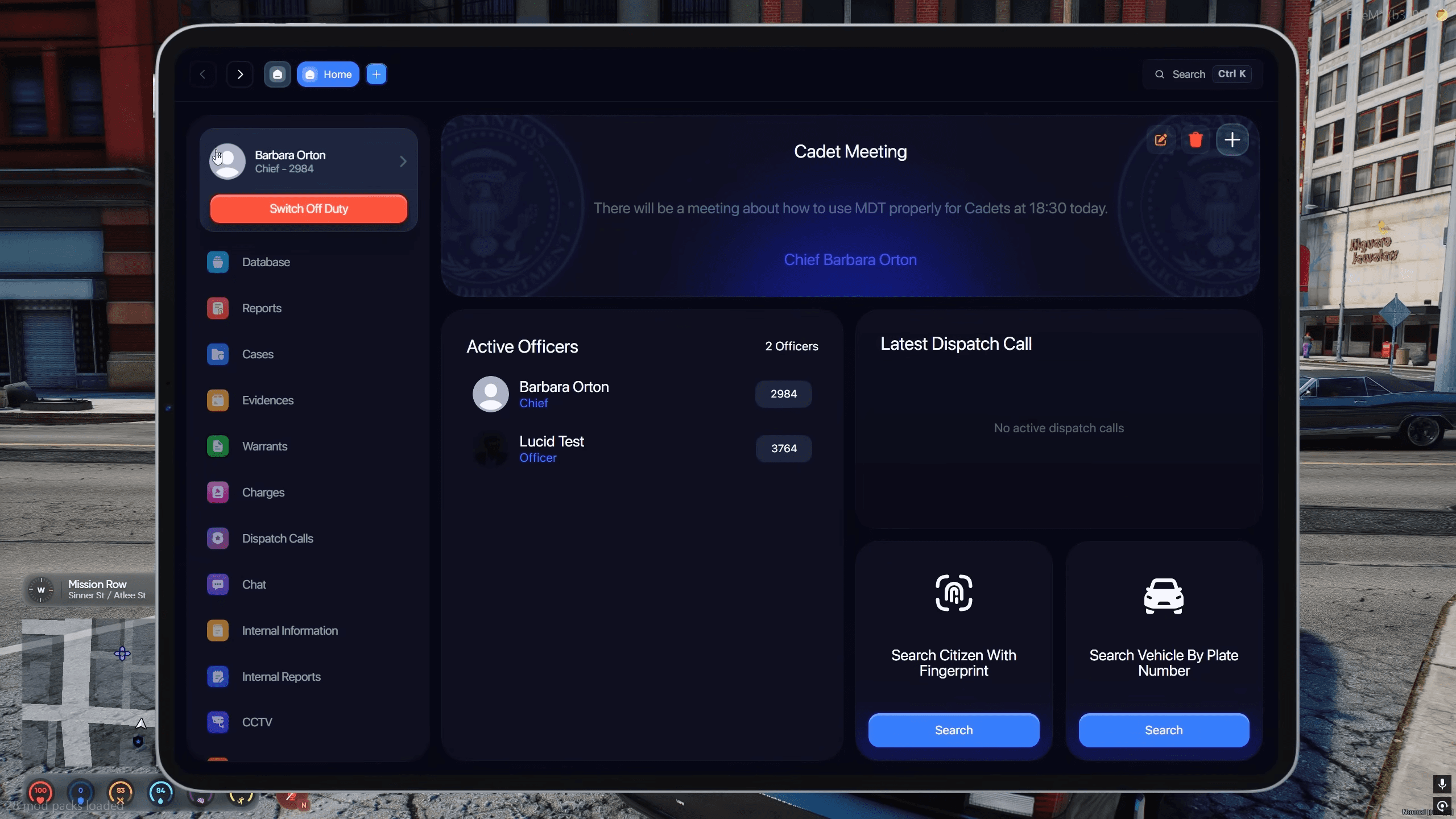
We tested what an officer actually needs the instant the screen opens, and it is never "search". It is: what has changed since I logged off, who else is on duty, and what is happening right now. So the dashboard opens on announcements, the on-duty personnel list and active dispatch calls — in that order, top to bottom, no clicks. Search is deliberately one level in, because search is a deliberate action, not an ambient one.
Context does not get thrown away
The most common MDT frustration is losing your place. You open a citizen, jump to their vehicle, come back, and you are at the top of a search result again. We built the detail pane so the subject you are working on stays pinned while warrants, vehicles, records and notes load beside it. Navigation moves the right-hand pane, not the whole screen.
Three ways in, because servers disagree
Some servers want the MDT to be a physical item an officer can be robbed of. Some want a keybind so it opens in half a second during a pursuit. Some want a chat command because their players are on laptops with awkward function keys. We stopped arguing about which is correct and made all three independently switchable — keybind F5, chat command /mdt, and a required mdt item, in any combination.
Why dispatch ships inside the package
We include codem-dispatchv2 rather than integrating with a third-party dispatch, and this is the decision people ask about most. The reason is that a call is not a notification — it is a record. It needs to be referenceable from a report, visible in the MDT, and consistent with what the officer saw on screen. That only works if one system owns it.
The harder engineering problem is not detecting incidents. It is not flooding the channel. A single firefight can trivially generate forty alerts, at which point officers mute dispatch entirely and the whole feature is dead. So the pipeline is built around suppression:

The random blip offset deserves a note, because it is a roleplay decision disguised as a technical one. A shots-fired call that drops a pin directly on the shooter removes the search from police work. Offsetting the blip by up to 120 units gives officers an area to sweep, which is both more realistic and considerably more fun for everyone involved.
The evidence chain, and why it expires
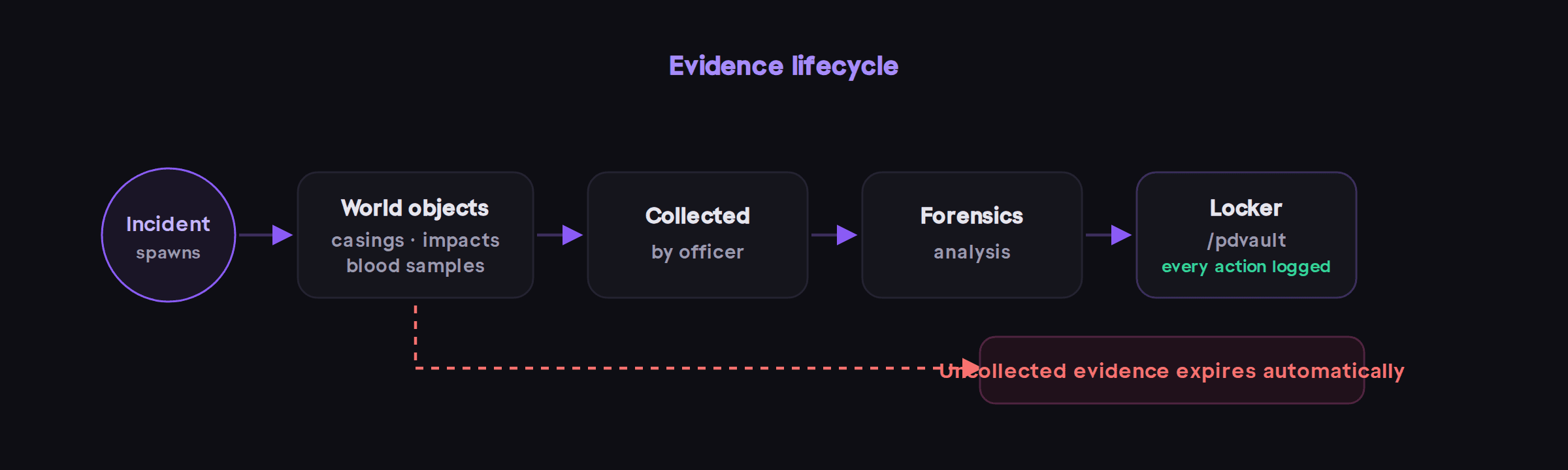
Bullet casings, bullet impacts and blood samples spawn as world objects. Officers collect them, submit them for forensic analysis, and store them in physical evidence lockers opened with /pdvault at configured locations, with every interaction logged.
The part that matters is automatic expiry, and it is the least glamorous feature in the package. Without it, a busy server accumulates tens of thousands of casings. The database grows unbounded, the map fills with props, and within a month the evidence system is the reason your server stutters. Expiry is not a convenience setting — it is what makes a persistent evidence system survivable at all.
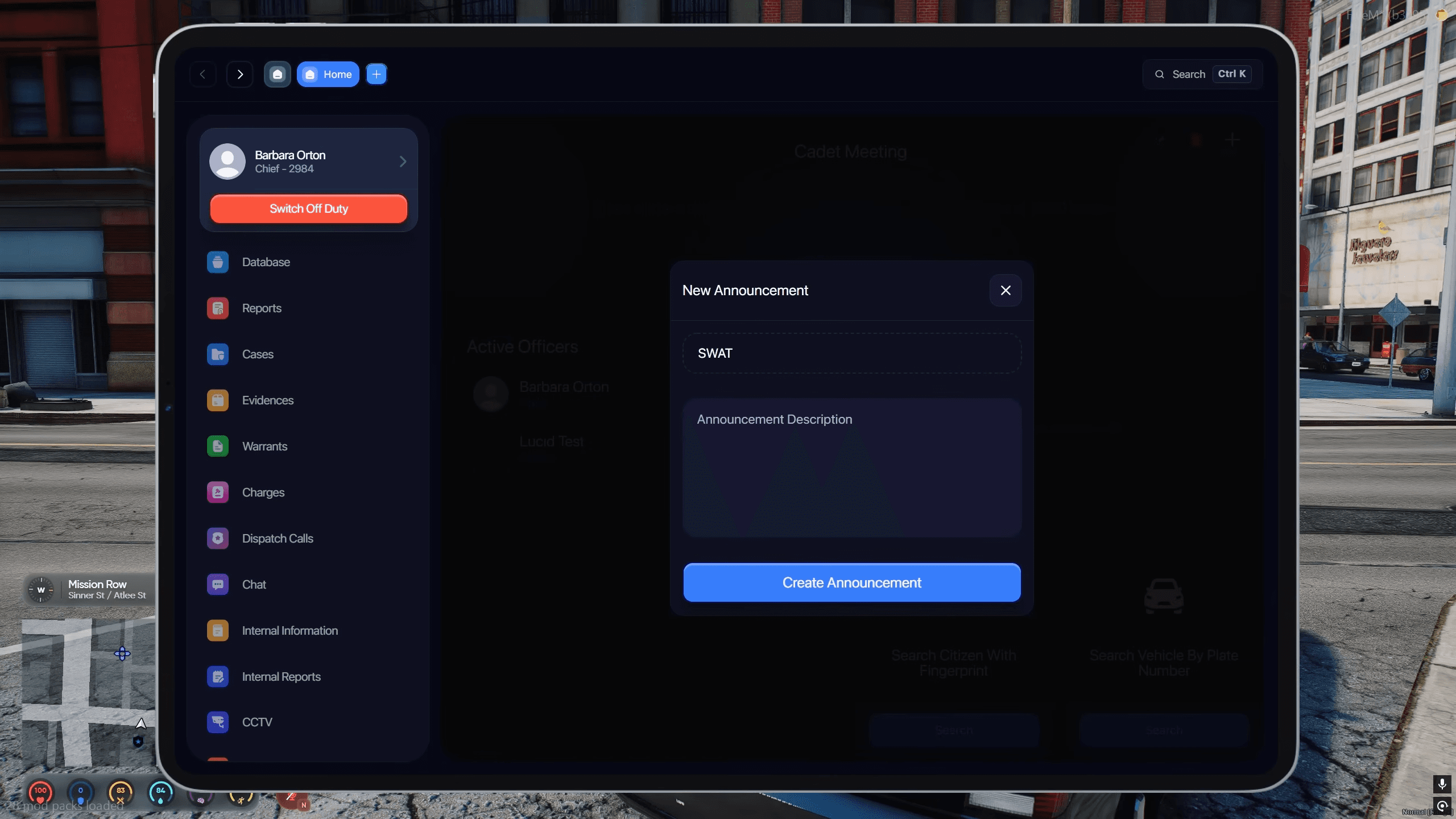
The same thinking applies to warrants, which decay on a time basis rather than sitting on a citizen forever, and to announcements, which auto-delete after 72 hours. Anything that accumulates needs a disposal path designed in from the start.
CCTV as a scanner, not a list
Fixed camera coordinates are a maintenance trap: your mapper moves a building, and now the CCTV list is wrong and nobody knows why. Instead the system scans for over 25 known camera prop models already placed in your map, defined in PoliceConfig.CctvModels with per-model offsets. Add cameras to your map and they simply appear in the MDT, with live pan, tilt, zoom, recording and screenshots. You maintain the map; you do not maintain a parallel list of positions.
Link analysis: the investigation view
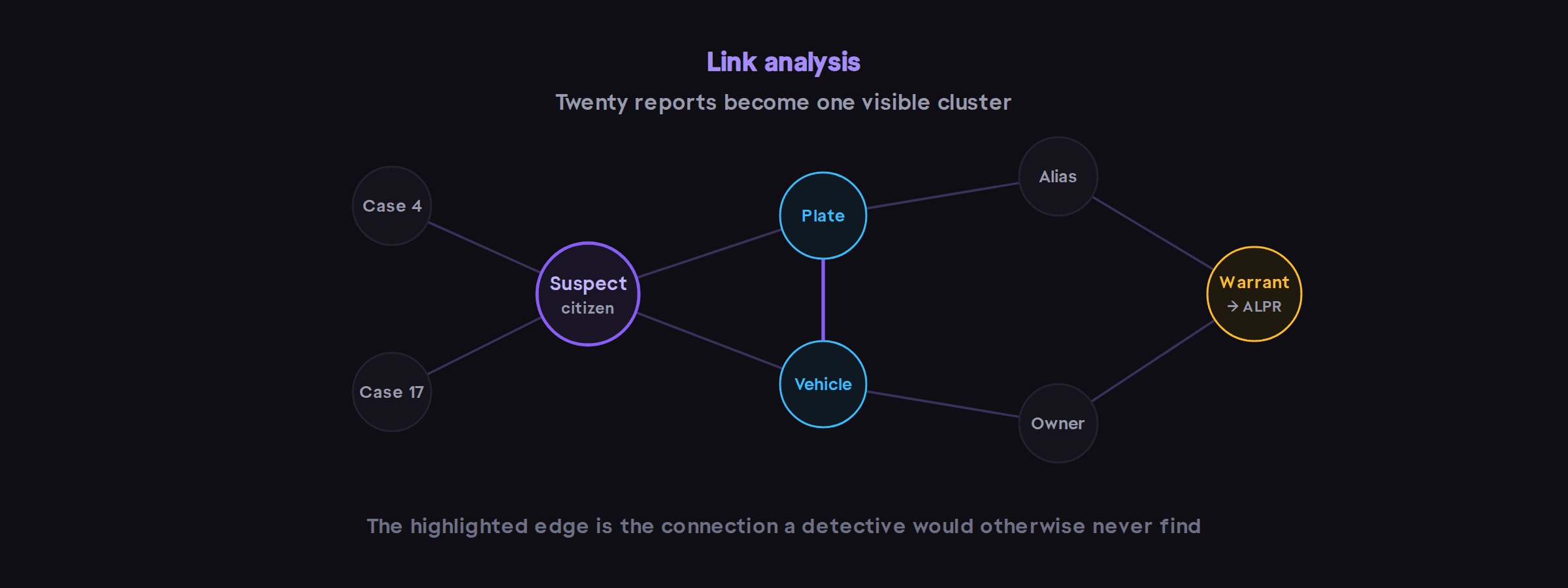
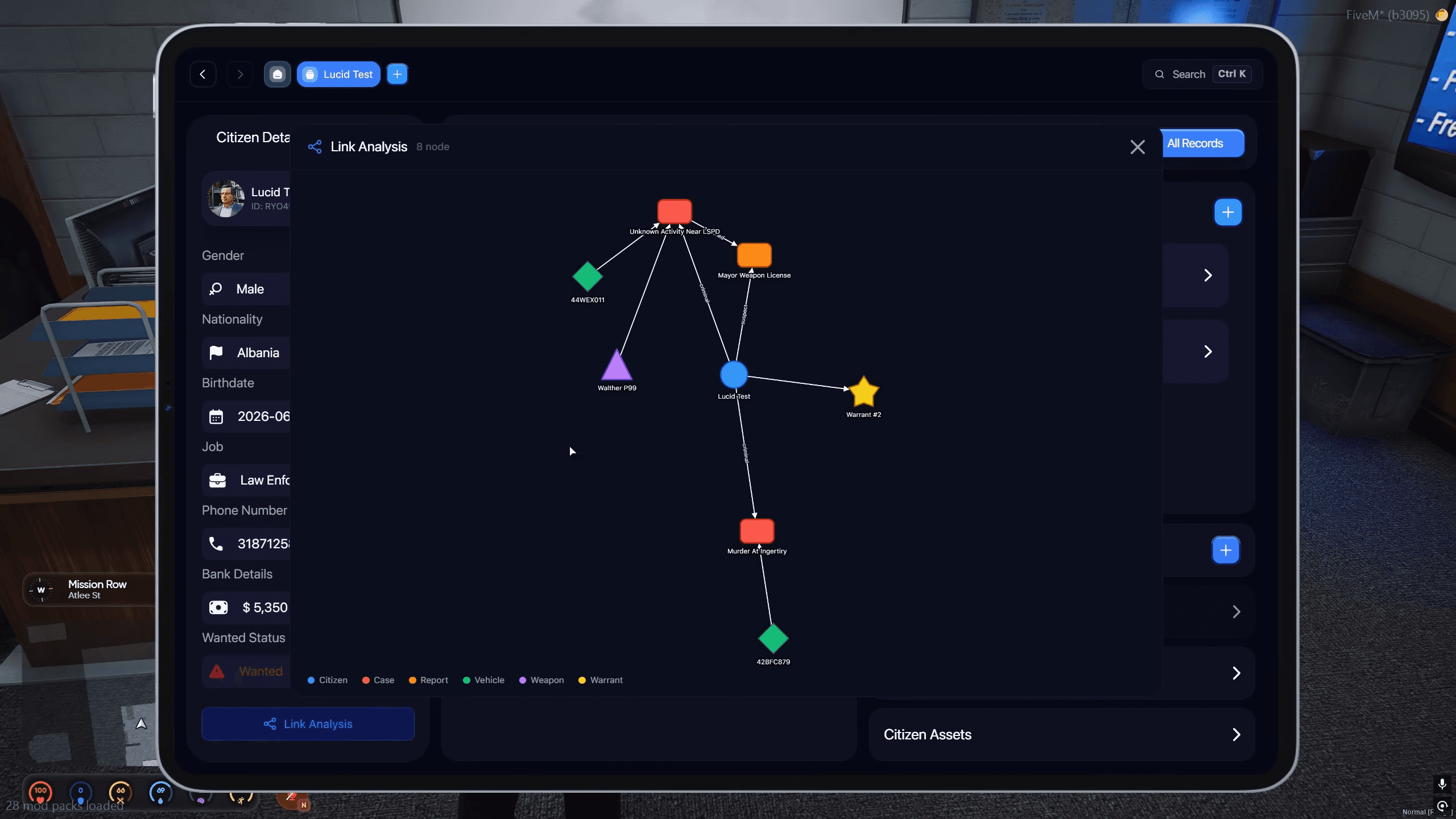
This is the feature we are most attached to, and the one that is hardest to explain in a feature bullet. Link analysis draws an interactive node graph of the connections between citizens, vehicles, cases and warrants.
Concretely: a detective working a chop-shop case has twenty reports across three months. The connection between a suspect and a vehicle appears in report four; the same plate appears under a different name in report seventeen. Cross-referencing that by hand is an hour of reading. On the graph it is a visible cluster. The feature is not about looking impressive — it is about a long investigation staying legible after the officers who started it have gone to bed.
52 tables, zero SQL imports
The single most common cause of a failed install is a manual SQL import — wrong database selected, half-applied file, or a migration missed on update. So the resource creates all 52 tables it needs on startup, covering charges, reports, cases, warrants, evidence, shops, chat and officer data. There is no .sql file to import and no migration step when you update.
What is left for you is genuinely small: drop the three resources into resources/[codem], start them in order after oxmysql and your framework, add three inventory items (evidence bag, criminal record, MDT device), and set your Fivemanage API key in config/Media/ServerApi.lua for mugshots and evidence photos.
What you configure
The config is split into config/Config.lua for server-wide concerns and config/Police/Config.lua for department policy, because those two things change at different times and by different people. A selection of what is exposed:
Option | Default | What it does |
|---|---|---|
|
| esx, qb or qbox |
|
| English or Turkish, extendable by file |
|
| pma, salty, mumble or native |
|
| Hash-to-name map used for serial tracking |
|
| Who can open the MDT |
|
| Digits in an auto-generated badge number |
|
| Points search at your actual database tables |
|
| Announcement auto-delete timer |
|
| Camera props detected in your map, with offsets |
|
| Where penalty invoices go |
|
| Server-side ceiling on live calls |
PoliceConfig.SearchDatabaseTable is worth calling out. It maps citizen and vehicle search onto whichever tables your server actually uses, which is what lets the MDT work on a heavily modified database instead of demanding you reshape your data to fit ours. And because the package ships with broad escrow_ignore coverage, the Framework, Inventory, Billing, Phone-lookup and Houses modules are fully editable even though the resource is escrow protected.
FAQ
Does BLVCK Police MDT work with ESX, QBCore and QBox?
- Yes. One build covers all three, selected with Config.Framework and set to "qb" by default. Your dispatch config has to use the same framework value as the MDT — that mismatch is the first thing to check if alerts are not arriving.
Do I need a separate dispatch script?
- No. codem-dispatchv2 ships in the package and is what the MDT reads active calls from. Other resources can push alerts into it with the codem-dispatchv2:server:sendAlert server event, so your existing robbery or heist scripts can feed the same call list.
Which inventory systems are supported?
-codem-inventory, ox_inventory, qb-inventory, qs-inventory, tgiann-inventory, ps-inventory and lj-inventory. Item artwork is resolved through Config.InventoryImagesFolder and Config.ItemImagePrefix, which defaults to .png.
Do I have to import an SQL file?
- No. All 52 tables are created automatically on first start, and the same mechanism handles new columns on update, so there is no migration step.
Is it escrow protected, and can I still edit it?
- It is protected through CFX.Portal, but with extensive escrow_ignore coverage: all config files plus the Framework, Inventory, Billing, Phone-lookup and Houses modules are shipped as editable Lua.
Why do dispatch blips not point exactly at the suspect?
- That is deliberate. Blips are offset randomly by up to 120 units (DispatchConfig.MaxOffset) so a shots-fired call gives officers an area to search rather than a GPS pin on the shooter. Set it to 0 if you want exact positions.
Showcase
Get BLVCK PD MDT NOW!